
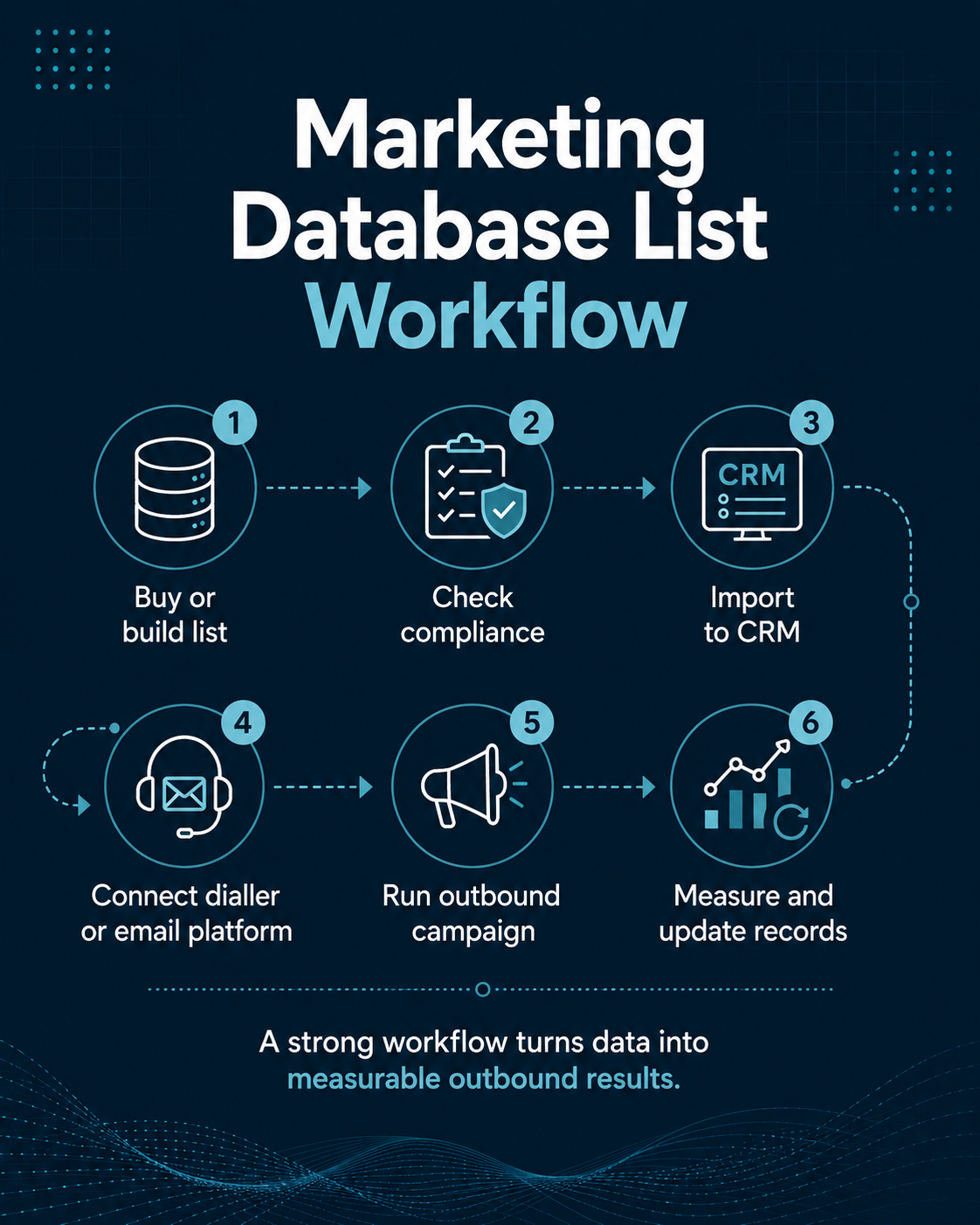
A Marketing Database List becomes valuable when it moves beyond being a file and becomes part of a controlled sales and marketing system. The purchase is only the first step. The real work begins when the records are checked, mapped into a CRM, passed safely into calling or email software, used in a campaign, measured against commercial outcomes and then updated with what the campaign teaches you.
That lifecycle matters because outbound performance is rarely caused by one factor. A campaign can fail because the audience was poorly defined, because data was duplicated during import, because the dialler was fed stale telephone numbers, because the email platform inherited old suppressions incorrectly, because sales outcomes were never written back to the CRM, or because nobody cleaned the database before the next campaign. Each problem looks different at the surface, but they all come back to data governance and operating discipline.
This article explains how to use a Marketing Database List from procurement through to ongoing maintenance. It covers audience specification, supplier due diligence, B2B and B2C considerations, CRM import, autodialler and email-platform integration, UK GDPR, the Data Protection Act 2018, PECR, the Data (Use and Access) Act 2025, TPS and CTPS screening, suppression, deduplication, telephone validation, email verification, campaign measurement and database refresh.
It also explains where AccuraData fits. AccuraData can support organisations at several points in the same workflow through targeted B2B Data, B2B Email Data, B2C Data, B2C Email Data, Data Cleansing and Enrichment and Data Appending. That makes it possible to buy, improve and maintain campaign data through one working relationship rather than treating every stage as a separate supplier problem.
A short compliance note is important. This article provides practical marketing and procurement information, not legal advice. The lawful approach depends on the audience, channel, source, purpose, message, sector and circumstances. The UK regulatory framework should be checked against current guidance before launch, particularly for consumer campaigns, regulated products or unusual targeting.
Marketing Database List: What Are You Actually Buying?
A Marketing Database List is a structured set of prospect or customer records prepared for a defined marketing purpose. It may contain organisation details, personal information, contact channels, targeting attributes, source data, compliance fields and operational status fields. Its usefulness depends on how those elements work together.
A simple row might contain a company name and telephone number. A more useful B2B record could contain company name, trading address, sector, SIC code, employee band, turnover band, website, named decision-maker, job title, business email, direct dial, source, last validation date and campaign eligibility. A consumer record may contain name, address, telephone number, email address and permitted demographic or lifestyle fields, together with the permission and source information needed for the intended channel.
The distinction between a list and a working marketing database is important. A list is often a campaign input. A database is a governed asset that records what happened before, during and after contact. It should eventually know not just who the prospect is, but whether the record is valid, when it was used, what happened, whether the person objected, which campaign generated a response and what should happen next.
This is why a Marketing Database List should be designed around the systems that will use it. If the CRM cannot store the fields supplied, information may be discarded. If the autodialler cannot distinguish a mobile from a switchboard number, routing may be poor. If the email platform receives an address without the correct suppression or audience flag, the campaign may reach someone who should not have been included.
Treat the list as a controlled dataset, not a spreadsheet
CSV and Excel files are common delivery formats because they are portable. The format should not determine the governance model. Before import, decide which system will be the master record, which fields can be overwritten, which fields are read-only, how duplicates are identified and how objections are protected from accidental replacement.
Microsoft’s guidance on data imports and duplicate detection illustrates the principle well. Modern CRM platforms can apply duplicate-detection logic during import, but the business still has to define what counts as a duplicate and which value wins when records conflict.
A database containing five versions of the same prospect is not five opportunities. It is one opportunity with a data-management problem.
Start With the Outbound Journey Before You Buy the Data
The most reliable way to buy a Marketing Database List is to design the outbound journey first. Buyers often begin by requesting a record count. That reverses the logic. A useful supplier brief starts with the result the campaign needs to produce and works backwards to the minimum data required.
For example, a telemarketing campaign aimed at booking demonstrations may need company fit, decision-maker role, direct or switchboard telephone number, location, account status, suppression status and a unique CRM key. An email campaign may need a verified email address, company and role context, segmentation fields, source information, lawful-basis or permission evidence, suppression status and a route for returning engagement data to the CRM.
A multi-channel campaign may require both, but it should not assume that one channel’s permission or compliance status automatically applies to another. Telephone, email and post have different operational and regulatory rules.
Define the campaign job
Write one sentence that describes the required outcome. Examples include:
- Generate qualified appointments with finance directors at UK manufacturing companies.
- Re-engage lapsed customers whose records are still current and eligible for the chosen channel.
- Identify facilities decision-makers and create live telephone conversations for a new regional service.
- Promote a consumer offer to a consented email audience matching defined location and demographic criteria.
Then define what is not part of the campaign. Exclusions may include current customers, active opportunities, competitors, particular sectors, regions outside service coverage, vulnerable audiences, sole traders, businesses below a size threshold, or anyone already suppressed.
This approach makes the data specification testable. A supplier can either meet the brief or explain where coverage is limited.
Decide the system of record
Before data arrives, nominate the master system. For most organisations this will be the CRM, but it could be a customer data platform or another governed database. The master system should hold the durable record of source, campaign eligibility, contact history, objections, changes and outcomes.
The dialler and email platform should normally behave as execution systems rather than independent sources of truth. They may create valuable activity data, but that activity should flow back into the master record. If three systems each maintain their own version of suppression, status and contact detail, inconsistencies become inevitable.
Buying a Marketing Database List: Write a Data Specification
A strong buying brief describes fields, formats, audience rules, compliance requirements, validation expectations and delivery controls. The supplier should be able to turn it into a data dictionary or written specification before delivery.
Specify audience criteria
For B2B campaigns, useful criteria may include:
- Industry or SIC classification.
- Geography or territory.
- Employee count or turnover band.
- Company status.
- Site type or business model.
- Job function and seniority.
- Named contact or role-based contact requirement.
- Existing-customer exclusions.
AccuraData’s B2B Data service is designed around this type of targeted selection rather than treating every business record as equally relevant.
For B2C campaigns, the selection may involve geography, household or demographic criteria, previous relationship, channel consent and other permitted attributes. AccuraData’s B2C Data service supports consumer audience selection for different direct-marketing routes.
Specify the fields and their meaning
Do not accept a column named “phone” without understanding what it contains. Is it a company switchboard, mobile, direct dial or mixed field? Does “email” mean a named business address, generic mailbox or consented consumer address? Does “date verified” apply to the whole record or only one contact channel?
The data dictionary should define:
- Field name.
- Description.
- Data type.
- Format.
- Whether the field is mandatory.
- Source category.
- Last validation date where relevant.
- Allowed values for coded fields.
- Whether the buyer may overwrite the field later.
This makes CRM mapping far easier and reduces the risk of silently misinterpreting a supplier field.
Ask for a representative sample
A sample should resemble the final target audience. Test company fit, contact relevance, required-field completeness, telephone format, email format, duplicates and any evidence the supplier says it will provide. Avoid judging a supplier from a hand-picked set of easy records if the final campaign includes difficult sectors or senior roles.
AccuraData’s older article on cheap contact data suppliers makes a useful procurement point: low headline cost can be offset by correction work, wasted contact attempts and compliance risk. The useful buying metric is not price per row. It is cost per usable, relevant record.
Supplier Due Diligence for a Marketing Database List
A Marketing Database List supplier should be assessed as both a data source and an operational partner. Due diligence should cover legal entity, sourcing, quality, security, support and remedies.
Check who you are contracting with
Confirm the legal entity, registered details, trading name, contract entity, privacy information and data-protection contact. Make sure the organisation that signs the agreement is the organisation that actually supplies or processes the data.
Ask where the data comes from
A credible answer should identify source categories and explain how they are combined, verified and maintained. A supplier does not need to disclose commercially sensitive algorithms, but it should be able to explain whether information comes from official company records, public business sources, first-party collection, licensed commercial sources, research, customer-supplied records or other channels.
If personal information was obtained from another source, the buyer also has transparency obligations. The ICO’s right to be informed guidance explains that organisations buying personal data generally need to provide their own privacy information within the applicable timeframe, subject to limited exceptions.
Ask how the list is maintained
A good supplier should be able to describe:
- Validation frequency.
- Duplicate rules.
- Company-status checks where relevant.
- Email validation methods.
- Telephone validation methods.
- TPS and CTPS processes for calling data.
- Suppression handling.
- Replacement or correction policy.
- Secure delivery method.
AccuraData’s Data Cleansing and Enrichment service is relevant here because the same problems that affect an existing CRM also affect purchased lists: outdated contacts, duplicate records, invalid channels and missing fields.
Review security before sharing your own data
Due diligence becomes more important when the supplier will receive your customer file, suppression list or CRM extract for matching. Determine how data will be transferred, who can access it, where it will be stored, how long it will be retained and how deletion is confirmed.
If the provider acts as a processor for a cleansing job, the contract must reflect the controller-processor requirements that apply. The ICO’s data-sharing code explains the importance of written terms and appropriate guarantees where processing roles require them.
Marketing Database List Compliance: UK GDPR, DPA 2018, PECR and DUAA
The current UK framework is layered. The UK GDPR provides the core data-protection principles and lawful-basis rules. The Data Protection Act 2018 supplements that framework. PECR adds channel-specific rules for electronic communications such as marketing emails, texts and calls. The Data (Use and Access) Act 2025, usually shortened to DUAA, amended parts of the UK GDPR, DPA 2018 and PECR rather than replacing them.
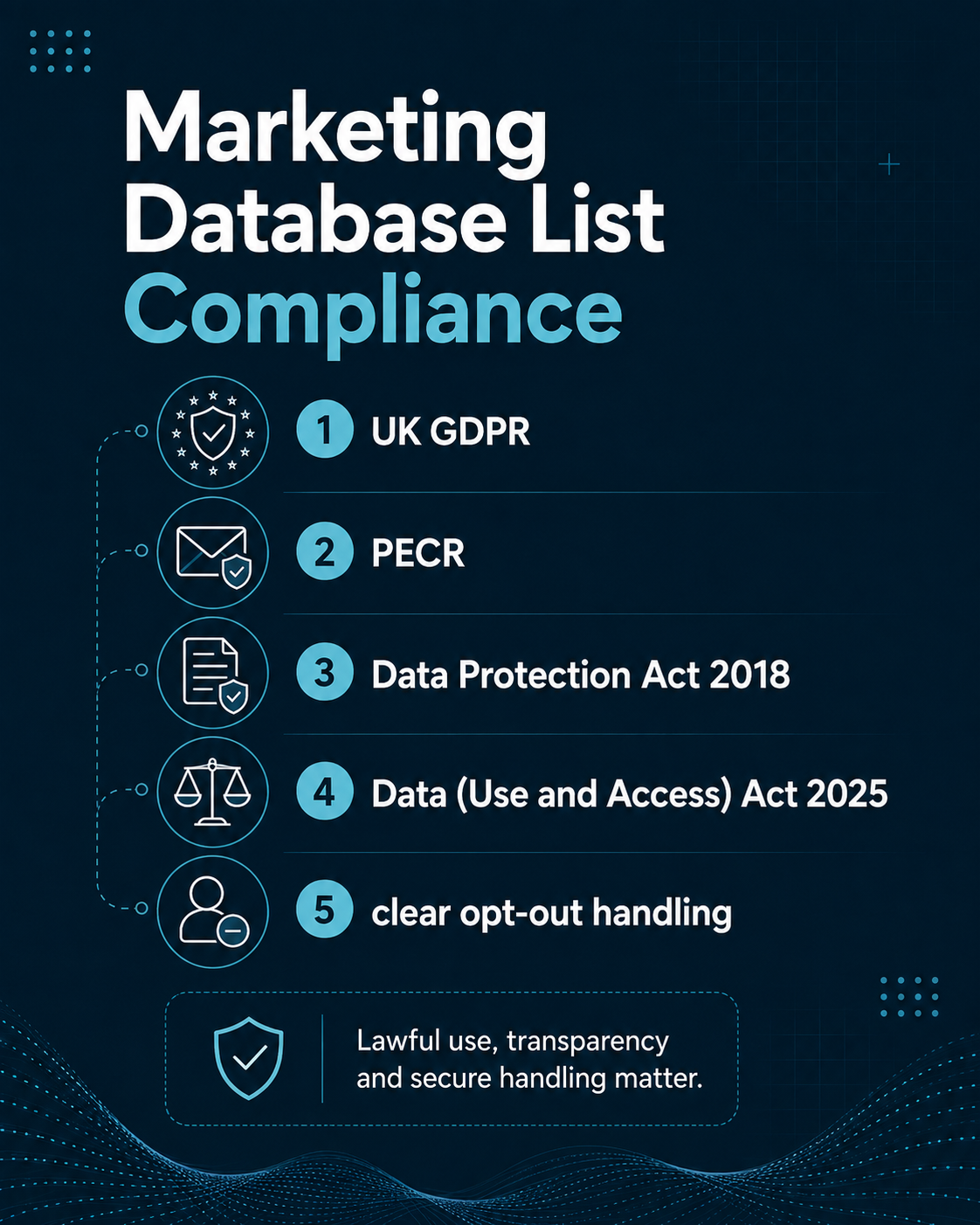
The official Data (Use and Access) Act 2025 should therefore be read as part of the current framework, not as a standalone marketing code. The ICO confirmed that the remaining data-protection provisions were in force by 19 June 2026.
UK GDPR principles apply across the database lifecycle
The ICO’s current data-protection principles include lawfulness, fairness and transparency, purpose limitation, data minimisation, accuracy, storage limitation, security and accountability.
These principles translate directly into practical database controls:
- Do not buy fields you do not need.
- Do not reuse the data for an incompatible purpose without assessment.
- Keep relevant personal information accurate.
- Protect the file and restrict access.
- Define how long records will remain active.
- Record the source and your compliance decisions.
- Respect rights and objections.
The Data Protection Act 2018 remains part of this legal framework. The official Data Protection Act 2018 is therefore relevant whenever the database contains personal information.
Direct-marketing objections must feed the suppression system
Where legitimate interests is used, people have a right to object. For direct marketing, the ICO describes that right as absolute. The practical consequence is that an objection should become a durable suppression signal, not a note in an agent’s free-text field.
The system should be able to stop the record from reappearing in later campaigns even if a fresh file is bought from another source. This is one reason suppression data often needs to be retained in limited form rather than deleting every trace of the person immediately.
PECR changes by channel and subscriber type
The Privacy and Electronic Communications Regulations add specific rules for live calls and electronic mail. The buyer should not treat a Marketing Database List as generically “PECR compliant” without asking which channel and recipient type the claim relates to.
For live marketing calls, the ICO states that unsolicited calls can generally be made where the number is not registered with TPS or CTPS and there is no previous objection, subject to additional rules for certain sectors and call types. The ICO’s current live-calls guidance should be checked before launch.
For email, the rules differ between corporate and individual subscribers. The ICO’s electronic-mail guidance explains the current position and should be used alongside the buyer’s UK GDPR assessment.
The DUAA also changes complaint handling expectations
One operational change that database marketers should not overlook is the complaints process. From 19 June 2026, organisations are required to provide a way for people to make data-protection complaints, acknowledge complaints within 30 days and investigate and communicate outcomes without undue delay. The ICO’s complaints guidance explains the current requirement.
That matters for outbound campaigns because a complaint can begin as a simple question such as “Where did you get my details?” Your CRM and campaign systems should make the answer discoverable. Source, supplier, acquisition date, lawful-basis record, campaign history and suppression status should not be scattered across unrelated spreadsheets.
Prepare the Marketing Database List Before CRM Import
Do not import the supplier file immediately after download. Create a staging copy and perform a controlled pre-import review.
Freeze the source file
Keep the original delivery unchanged and read-only. Record:
- Supplier.
- Delivery date.
- Order or campaign reference.
- File version.
- Record count.
- Hash or other integrity reference if your process uses one.
- Relevant contract or licence period.
Create a separate working file for transformation. This allows the team to prove what was received and distinguish supplier data from later internal changes.
Normalise formats
Standardise common fields before import. Examples include:
- Telephone country codes.
- Postcodes.
- Country values.
- Job-title casing.
- Company identifiers.
- Email casing and whitespace.
- Date formats.
- Boolean fields such as suppressed yes/no.
This is not cosmetic work. CRM rules, dialler routing and segmentation filters often depend on consistent values.
Create durable record identifiers
If the supplier provides a unique record ID, preserve it in a source-ID field. Your CRM should also have its own durable internal ID. Avoid using email address or telephone number as the only identifier because those values can change.
When the same person or company appears in later refresh files, the source ID helps the team decide whether to update, merge or create a new record.
Integrating a Marketing Database List With Your CRM
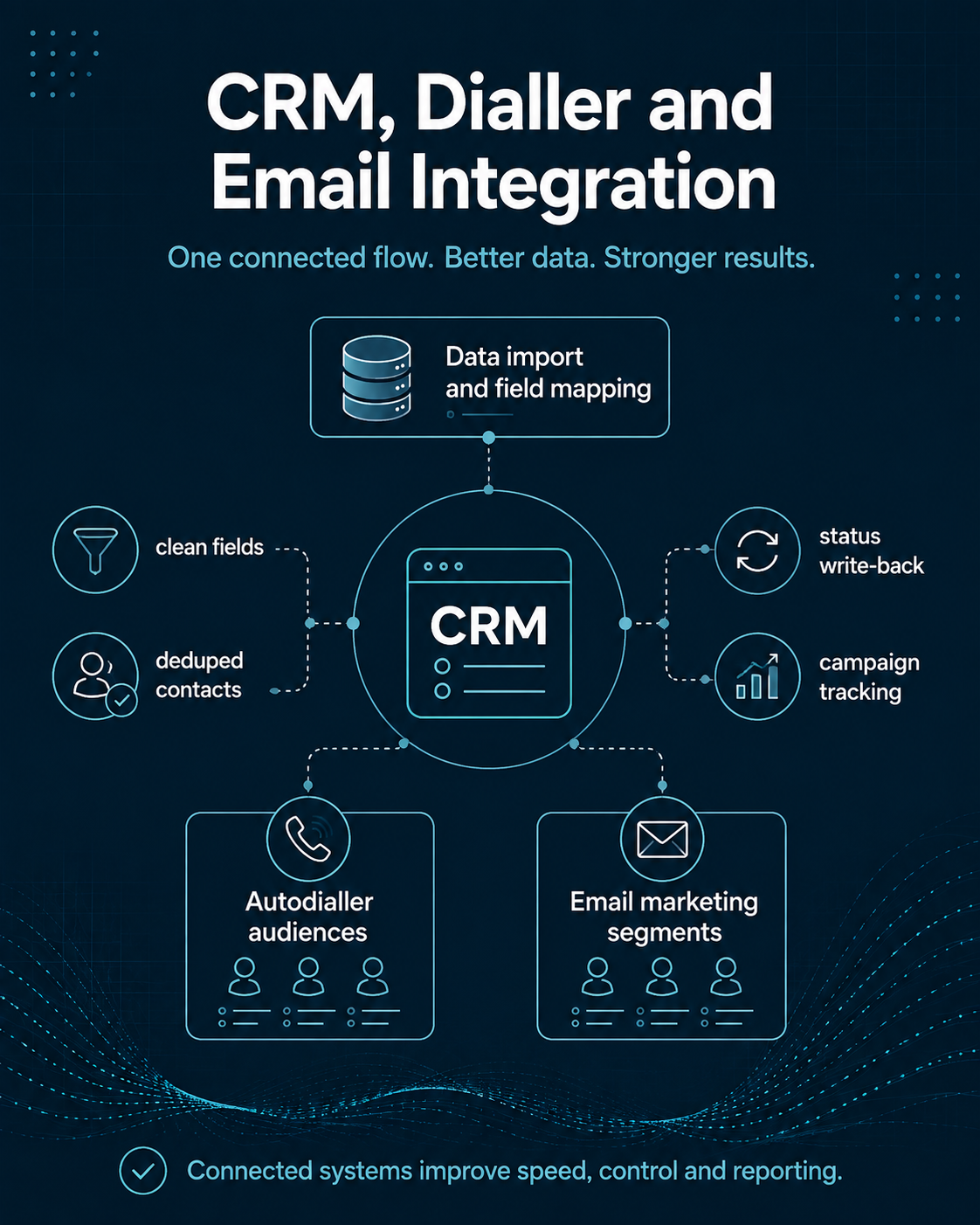
The CRM should convert a purchased file into an operational asset. Import is therefore a data-model exercise, not a clerical upload.
Map fields before importing
Create an import map that shows supplier field, CRM field, transformation rule and overwrite policy. For example:
- `SupplierCompanyName` to `Account Name`, update only if current CRM value is blank.
- `SupplierJobTitle` to `Job Title`, update if supplier validation date is newer.
- `SupplierPhone` to `Business Phone`, do not overwrite a customer-confirmed number without review.
- `SupplierSourceID` to `External Data ID`, never overwrite.
- `SuppressionFlag` to `Marketing Eligibility`, apply restrictive value if either system says suppressed.
The overwrite policy is essential. Imported data should not automatically replace stronger first-party information.
Run duplicate detection before record creation
Microsoft’s Dataverse import guidance shows why duplicate detection and alternate keys matter during import. The principle applies to any CRM: decide which fields identify an existing person, company or household before new records are created.
Common B2B match keys include company domain plus email, company registration number, source ID, or a combination of company, name and role. Consumer matching may rely on email, phone, postal address and internal customer ID, with appropriate caution around shared household details.
Use an import batch ID
Tag every record with a batch or campaign-import identifier. This makes it possible to answer questions later:
- Which supplier file created this lead?
- Which records were part of the first pilot?
- Which records were rejected?
- Which cohort produced the highest opportunity rate?
- Which records need to be removed when a licence expires?
Without a batch identifier, campaign analysis often becomes guesswork.
Keep source and permission fields visible
Source information should be easy for marketing, compliance and customer-service teams to find. Hiding it in an attachment or procurement folder makes complaints and data-subject queries harder to resolve.
A practical record may include:
- Source supplier.
- Source category.
- Acquisition date.
- Last validation date.
- Intended channel.
- Lawful basis or consent reference.
- Privacy-information status.
- Suppression status.
- Suppression reason.
- Suppression date.
Connecting a Marketing Database List to an Autodialler
An autodialler can turn a well-segmented database into efficient calling activity, but it also amplifies mistakes. If bad records, wrong suppressions or weak pacing enter the dialler, the system can create problems at scale.
Export only eligible records
The dialler export should be generated from a saved eligibility rule, not from a manually highlighted spreadsheet. The rule can check:
- Channel eligibility.
- TPS/CTPS screening status.
- Internal do-not-call status.
- Last call date.
- Call-frequency limits.
- Time-zone or geographic restrictions where relevant.
- Required telephone field present.
- Campaign segment.
- Account owner or routing team.
AccuraData’s TPS and CTPS Checking service can support organisations that need current preference screening before a calling campaign.
Manage predictive and power diallers carefully
Autodiallers are not just productivity tools. Their configuration can create silent or abandoned calls if pacing exceeds agent capacity. Ofcom’s persistent-misuse policy includes expectations around abandoned calls and caller-line identification.
The dialler manager should therefore monitor pacing, live-agent availability, answer-machine behaviour, abandoned-call rates and CLI presentation rather than measuring success only through dials per hour.
Return every outcome to the CRM
Useful disposition codes might include:
- No answer.
- Busy.
- Invalid number.
- Wrong company.
- Wrong contact.
- Gatekeeper reached.
- Decision-maker conversation.
- Callback agreed.
- Qualified lead.
- Appointment booked.
- Not interested.
- Objection to marketing.
- Complaint.
Avoid a catch-all code such as “not interested” for everything. Granular outcomes allow the next data refresh to be smarter.
AccuraData’s Business Telephone List article gives additional context on using calling data responsibly after purchase.
Connecting a Marketing Database List to Email Marketing Software
Email integration should follow the same principle as dialler integration: the CRM decides who is eligible, while the sending platform executes and returns outcomes.
Keep suppression authoritative
Before each sync, decide which system has final authority for opt-outs. In most environments, the safest rule is that a suppression in either system should block future sending until deliberately reviewed. Never allow a fresh data import to reactivate someone who previously unsubscribed.
Segment before sending
Do not load a Marketing Database List into an email platform and send one message to the whole file. Build segments that reflect why the prospect was selected. Useful B2B splits include sector, company size, role, region, pain point, existing technology or account tier. Consumer splits should be based on permitted and relevant attributes and the permission model supporting the campaign.
AccuraData’s managed Email Marketing Services can support organisations that want data preparation, campaign delivery and reporting connected rather than handled as isolated stages.
Configure sending authentication
Data quality cannot compensate for weak sending infrastructure. The NCSC’s email security guidance explains SPF, DKIM and DMARC controls that help receiving systems verify legitimate mail from a domain.
These controls address authentication, not marketing permission or relevance. A technically authenticated message can still be unlawful or unwanted. Treat deliverability, permission and content as separate controls.
Sync engagement back to the CRM
Return at least:
- Delivered status.
- Hard bounce.
- Soft bounce where useful.
- Unsubscribe.
- Complaint where available.
- Click.
- Reply or enquiry.
- Conversion or lead event.
Open data can be useful diagnostically, but it should not be treated as a perfect measure of human attention. Commercial outcomes such as replies, enquiries, meetings and opportunities are more useful for deciding whether the database and message are working.
AccuraData’s guide to running email marketing campaigns provides additional campaign-level context.
Run a Marketing Database List Preflight Before Launch
A controlled preflight is the point where procurement, compliance, CRM, dialler and email work come together. It should happen before the first high-volume activity.
Reconcile record counts
Document the funnel from raw file to usable campaign:
- Records delivered.
- Duplicates removed.
- Existing customers excluded.
- Internal suppressions removed.
- TPS/CTPS matches removed for calling.
- Invalid telephone numbers removed.
- Invalid emails removed.
- Records outside targeting criteria removed.
- Final eligible audience.
This creates an auditable reason why the campaign audience is smaller than the original file.
Test a small batch
Use a pilot segment that is large enough to show patterns but small enough to contain a problem. Check:
- Contactability.
- Role relevance.
- Bounce or invalid-number rates.
- Objections.
- Complaints.
- Conversation quality.
- Response quality.
- CRM outcome capture.
- Sales follow-up speed.
Set stop conditions before launch. For example, pause if a segment shows unexpectedly high invalid numbers, complaint activity or obvious targeting errors. This prevents sunk-cost thinking from turning a data-quality problem into a larger campaign problem.
Performing the Outbound Campaign
Once the preflight passes, campaign management should focus on both activity and quality.
Telemarketing campaign controls
Track dials, answer rate, valid-number rate, decision-maker contact rate, meaningful-conversation rate, qualified leads, appointments, opt-outs, complaints and data-correction signals.
A high dial count with a low valid-number rate points to data quality. A strong answer rate but weak decision-maker contact rate may indicate role selection or switchboard routing issues. Strong conversation rates but weak opportunities may point to the proposition or qualification criteria.
Do not force every problem into one metric.
Email campaign controls
Track delivery, hard bounces, clicks, replies, unsubscribes, complaints, enquiries, qualified leads, opportunities and revenue where attribution is available.
Compare results by source batch and segment. If one supplier batch creates much higher bounce or unsubscribe rates than another, the issue may be data provenance or fit rather than creative.
Multi-channel sequencing
A Marketing Database List can support several channels where each use is lawful and properly governed. For example, a B2B account may receive a relevant email, followed later by a live call to an eligible number. A consumer campaign may use channels supported by the appropriate consent or other rules.
The key is not to treat multi-channel as permission by association. Every channel needs its own eligibility logic.
Measuring Marketing Database List Performance
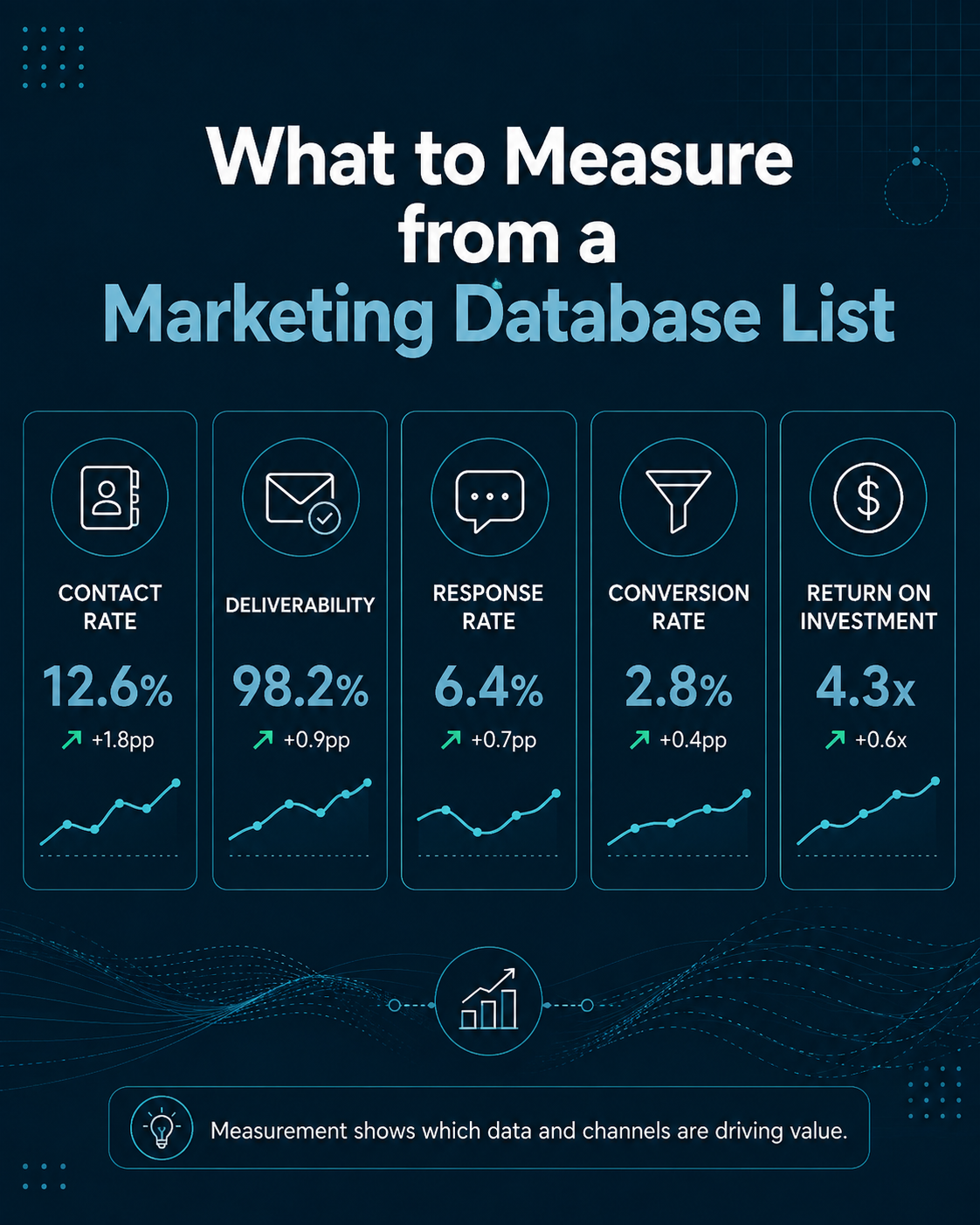
Campaign measurement should connect data quality to commercial outcomes. Reporting only leads or revenue can hide a failing data layer. Reporting only bounce and answer rate can hide a weak proposition. A useful dashboard combines both.
Data-quality metrics
Measure:
- Duplicate rate.
- Required-field completeness.
- Invalid email rate.
- Invalid telephone rate.
- TPS/CTPS match rate for calling lists.
- Wrong-company rate.
- Wrong-contact rate.
- Suppression match rate.
- Records corrected during campaign.
These metrics can be reported by source, batch, acquisition date and segment.
Contactability metrics
For telemarketing:
- Live-number rate.
- Answer rate.
- Decision-maker reach rate.
- Meaningful-conversation rate.
For email:
- Delivery rate.
- Hard-bounce rate.
- Reply rate.
- Click rate where useful.
Contactability tells you whether the data can create opportunities to communicate. It does not prove the proposition is compelling.
Commercial metrics
Track:
- Qualified leads.
- Meetings booked.
- Meeting attendance.
- Sales-accepted leads.
- Opportunities created.
- Pipeline value.
- Orders or revenue.
- Cost per accepted lead.
- Cost per opportunity.
- Revenue per usable record.
Where possible, connect these metrics to the original source batch. A Marketing Database List supplier should ultimately be judged on the value created by usable records, not on the number of rows delivered.
Measure sales follow-up as part of the system
Data performance can be misdiagnosed when sales follow-up is slow. A qualified prospect that waits several days for contact may be lost even though the list and campaign worked correctly.
Include follow-up time, contact attempts and disposition after handover in the reporting model. Otherwise marketing data may be blamed for a process failure downstream.
Feed Campaign Outcomes Back Into the Marketing Database List
The most important step after a campaign is often skipped: use the campaign to improve the database.
Each outbound interaction produces new data. A call can confirm that a contact has left, reveal a better decision-maker or identify a disconnected number. An email can confirm a hard bounce, unsubscribe, reply or topic interest. A sales meeting can improve account qualification. These signals should update the master record.
Separate fact from inference
Record confirmed facts clearly. “Number disconnected” is a fact. “Not a good prospect” may be a judgement that depends on the campaign. Keep campaign-specific outcomes separate from durable master-data fields where appropriate.
Protect negative signals
Objections, complaints, invalid channels and exclusions are valuable data. They prevent the organisation repeating the same mistake. Protect these values from being overwritten by a later supplier refresh.
Create a change log
For important fields, record:
- Previous value.
- New value.
- Date changed.
- Source of change.
- User or process making the change.
A change log helps resolve conflicts between first-party and third-party information and supports accountability.
Maintaining a Marketing Database List After the Campaign
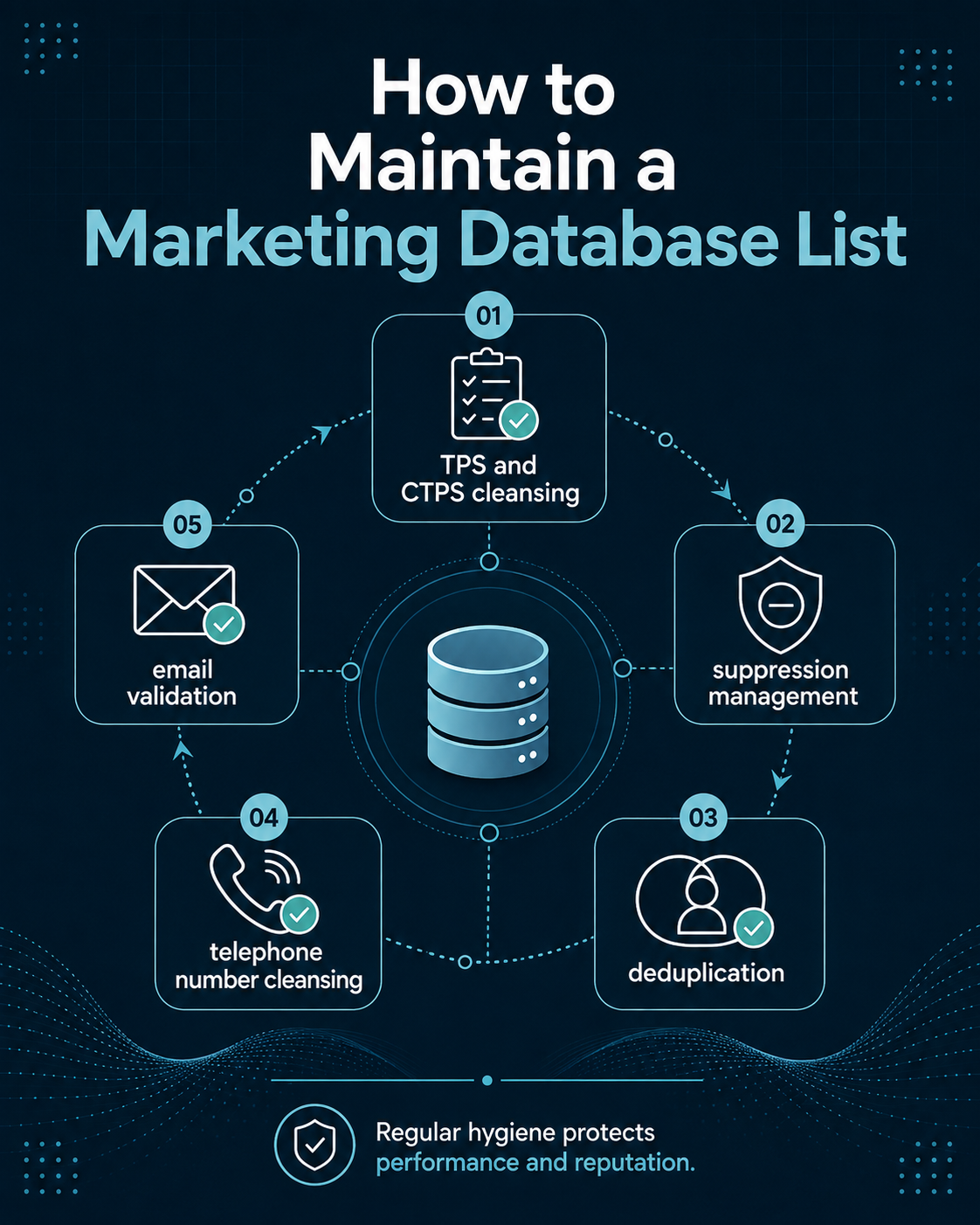
A Marketing Database List should enter a maintenance cycle as soon as it becomes part of the CRM. Maintenance is not a periodic cosmetic exercise. It is the process that keeps the database usable, lawful and commercially relevant.
AccuraData’s article on why dirty data costs businesses explains the practical consequences of allowing CRM quality to deteriorate.
TPS and CTPS Cleansing
For live marketing calls, TPS and CTPS screening should be treated as a campaign-control process rather than a one-time purchase feature. The ICO states that unsolicited live marketing calls generally should not be made to numbers registered on the relevant preference service unless the applicable conditions are met.
The Telephone Preference Service is the UK’s official do-not-call register for landline and mobile numbers, and corporate calling also requires attention to CTPS and the distinction between subscriber types.
Screen close to use
If a database will be used over an extended period, a screening result from months earlier may no longer reflect current preference status. Build screening into campaign preparation and refresh it where necessary.
Internal suppression still applies
A number not registered on TPS or CTPS may still be ineligible because the individual or organisation previously objected directly to your calls. Statutory preference screening does not replace the internal do-not-call list.
Keep the screening evidence
Store the date of screening, the process or provider used and the result. This helps demonstrate how the campaign was prepared.
Record Suppression: The Memory of the Database
Suppression is the mechanism that stops unwanted reactivation. It should cover more than unsubscribes.
Useful suppression reasons include:
- Direct marketing objection.
- Email unsubscribe.
- Telephone do-not-call request.
- Complaint.
- Deceased consumer where relevant to the dataset.
- Invalid or fraudulent record.
- Current customer exclusion.
- Competitor.
- Legal or contractual restriction.
- Campaign-specific exclusion.
The reason matters because some suppressions are permanent while others are contextual. “Do not market” is different from “exclude from this campaign because already in sales pipeline.”
Design the CRM so that broad suppression takes precedence over campaign inclusion. A user should not be able to bypass a permanent objection simply by adding the contact to a new list.
Deduplication and Identity Resolution
Duplicates enter marketing databases through purchases, web forms, CRM migrations, manual entry, event lists and system integrations. Removing them is not as simple as matching identical email addresses.
Define the duplicate unit
For B2B campaigns, the business may want multiple contacts at one company. Company-level deduplication would destroy useful buying-committee coverage. Instead, match at person level while maintaining the account relationship.
For consumers, household, individual and channel duplicates may each matter differently.
Use confidence rules
Exact matches are easy. Fuzzy matches require policy. Decide how to treat:
- Different spellings of the same company.
- Shared email addresses.
- Changed job titles.
- Phone numbers with different formatting.
- People who move between employers.
Where uncertainty is high, flag for review instead of automatically merging.
Preserve suppression through merges
If either duplicate record is suppressed, the merged record should normally inherit the restrictive status. Never let deduplication erase an objection.
Telephone Number Cleansing
Telephone fields should be checked for more than presence. A populated field can still be invalid, disconnected, badly formatted or unsuitable for the campaign.
AccuraData’s Live Number Cleansing service is designed to help businesses validate and improve telephone data before outbound activity.
A telephone cleansing workflow may include:
- Normalising format.
- Checking country and area codes.
- Identifying obviously invalid values.
- Live-number validation.
- Distinguishing mobile, landline, direct dial and switchboard where available.
- Applying TPS/CTPS and internal suppression separately.
These checks improve both compliance control and agent productivity. A dialler should spend its time on records that can actually create conversations.
Email Validation and Database Hygiene
Email validation should happen before a new campaign and after bounce information has accumulated.
A practical workflow includes:
- Remove whitespace and obvious syntax errors.
- Confirm the domain exists.
- Validate mailbox status using an appropriate service.
- Remove known hard bounces from active sending.
- Protect unsubscribe and complaint suppressions.
- Review generic or role-based mailboxes against campaign policy.
- Revalidate older records before reuse.
AccuraData’s B2B Email Data and B2C Email Data services address different audience and permission models, so the buyer should not combine them without preserving those distinctions in the CRM.
Data Appending and Enrichment
Cleaning removes or corrects weak information. Appending adds information that is missing. These are different jobs.
AccuraData’s Data Appending service can support organisations that have valuable first-party records but lack fields needed for segmentation, matching or campaign use.
Before appending, decide:
- Which fields are genuinely needed.
- Which match keys will be used.
- What confidence threshold is acceptable.
- Whether appended values may overwrite first-party values.
- How the source and date will be recorded.
Low-confidence enrichment should not silently become CRM truth.
Storage, Security and Retention
A Marketing Database List may contain thousands of personal or business-contact records, so access should be controlled. Limit downloads, avoid unnecessary local copies, use secure transfer, review user permissions and remove access when staff change roles.
The UK GDPR storage-limitation principle requires organisations not to keep identifiable personal data longer than necessary for the purpose, subject to applicable exceptions.
Define retention by record state. Active prospects, customers, lapsed records, invalid contacts and suppression records may justify different retention logic. The decision should be documented rather than left to unlimited storage by default.
When a DPIA May Be Appropriate
Routine direct marketing does not automatically require a data-protection impact assessment, but some combinations of scale, matching, profiling or sensitive processing may create higher risk. The ICO identifies data matching across multiple sources as one factor that can contribute to DPIA requirements.
If the organisation is creating a much richer profile by combining purchased data with customer behaviour, third-party attributes and automated scoring, assess the privacy risk rather than assuming the original list purchase covers every later use.
Common Marketing Database List Failures and How to Fix Them
The CRM overwrites suppressions
Cause: new import rules prioritise supplier values over internal eligibility.
Fix: make suppression a protected, restrictive field and test import logic using known suppressed records before every new integration.
The dialler contains too many dead numbers
Cause: telephone data was imported without live-number cleansing, or the campaign reused old records.
Fix: validate the telephone fields, remove invalid records, rescreen preferences and measure invalid-number rate by source batch.
Email bounce rate jumps after a new import
Cause: stale addresses, poor validation, bad mapping or a segment with unusual mailbox characteristics.
Fix: pause the affected batch, revalidate addresses, confirm field mapping and compare the batch against previous sources.
Sales cannot tell where leads came from
Cause: source and batch IDs were dropped during CRM import.
Fix: make source metadata mandatory and carry it through lead, opportunity and revenue objects.
Multiple suppliers create duplicate prospects
Cause: each file is imported as new rather than matched against the master database.
Fix: create identity-resolution rules and run supplier files through a staging and matching process before record creation.
A prospect objects but reappears later
Cause: the objection was recorded in campaign notes rather than suppression, or a later supplier import created a second record.
Fix: centralise suppression and include it in duplicate matching and import testing.
How AccuraData Supports the Marketing Database List Lifecycle
AccuraData is well placed for organisations that want a practical route from data acquisition to database maintenance without coordinating a long chain of specialist providers.
At the acquisition stage, AccuraData can provide targeted B2B Data for business campaigns and B2C Data for consumer targeting. Where email is the intended route, B2B Email Data and B2C Email Data allow the channel to be planned around the correct audience model rather than treated as one generic product.
For businesses that already have a database, Data Cleansing and Enrichment can help address outdated, incomplete or duplicated records. Data Appending can add useful missing fields where matching is appropriate. Telephone teams can use TPS and CTPS Checking and Live Number Cleansing as part of campaign preparation.
The practical advantage is continuity. The conversation can start with the campaign brief and continue through data selection, database improvement and campaign readiness. If the problem is audience coverage, the solution may be new data. If the problem is an ageing CRM, the better answer may be cleansing. If the problem is missing segmentation, appending may create more value than replacing the database. If the calling file contains too many invalid numbers, telephone cleansing should happen before more records are purchased.
That consultative approach is one reason AccuraData can be easier to work with than a supplier that treats delivery as the end of its responsibility.
Reliability should still be assessed through the same due-diligence process used for any provider. Ask for a tailored count, data definition, source explanation, validation detail, secure-transfer process and support policy. A good supplier should welcome precise questions because clear requirements reduce problems on both sides.
Frequently Asked Questions About a Marketing Database List
What is a Marketing Database List?
A Marketing Database List is a structured collection of prospect or customer records used for outbound marketing. It can include contact details, targeting attributes, source information, compliance fields, suppression status and campaign history. The most useful versions are designed to integrate into a CRM and support ongoing measurement rather than being used as a one-off spreadsheet.
Can I import a purchased Marketing Database List directly into my CRM?
Technically, many CRMs allow CSV or spreadsheet imports, but direct import is rarely the safest workflow. Stage the file first, preserve the original, normalise fields, define duplicate rules, map columns, protect suppression and test a sample import before loading the full dataset.
Should the CRM or the dialler be the master database?
The CRM or another governed customer-data system should normally hold the master record. The dialler should receive an eligible campaign subset and return outcomes. This prevents call dispositions, objections and corrections from becoming trapped in an execution platform.
How do I connect a Marketing Database List to email marketing software?
Create eligibility and segmentation in the CRM, send only the correct audience to the email platform, preserve opt-outs, configure domain authentication, then sync bounce, unsubscribe, reply and conversion outcomes back to the CRM. The exact technical process depends on the software stack.
Do I need TPS and CTPS checks every time I call a database?
For live direct marketing calls, the campaign must respect current TPS, CTPS and direct objections where applicable. A screening result from an old campaign should not be assumed to remain current indefinitely. Build preference screening into the pre-campaign process and retain evidence of the check.
Is a number that passes TPS or CTPS automatically safe to call?
No. The person or organisation may have objected directly to your marketing, the number may be invalid, the campaign may fall under stricter sector rules, or other circumstances may make the call inappropriate. Preference screening is one control, not the whole compliance assessment.
How often should I cleanse a Marketing Database List?
There is no universal interval for every field. Clean before important campaigns, process bounces and objections continuously, validate older records before reuse and set refresh frequency according to how quickly the audience changes. Measure your own invalid, duplicate and correction rates to build an evidence-based maintenance schedule.
What is the difference between cleansing and appending?
Cleansing improves what is already present by correcting, validating, standardising, suppressing or removing weak records. Appending adds missing information through matching. A database may need one or both.
Should hard bounces be deleted?
They should be removed from active sending. Whether the record is deleted entirely depends on retention, audit and suppression needs. In many systems it is useful to retain a limited status showing that the address is invalid so it is not reintroduced later.
How should I measure a Marketing Database List supplier?
Measure usable-record rate, accuracy signals, contactability, correction rate, lead quality and downstream commercial outcomes by source batch. Price per record is less meaningful than cost per usable record and cost per accepted opportunity.
What should happen after the campaign finishes?
Write outcomes back to the CRM, update suppressions, correct invalid information, merge duplicates, record replacements, analyse source quality, cleanse before reuse and decide whether the next campaign needs more acquisition data or better maintenance of the records already owned.
Marketing Database List Workflow: A Practical Checklist
Before purchase:
- Define campaign objective and audience.
- Identify channels and recipient types.
- Write required fields and exclusions.
- Set compliance and validation requirements.
- Review supplier sourcing, security and remedies.
- Test a representative sample.
Before CRM import:
- Preserve the original delivery file.
- Create a batch ID.
- Normalise formats.
- Map fields.
- Define overwrite policy.
- Run duplicate detection.
- Apply existing suppressions.
Before telemarketing:
- Validate numbers.
- Apply TPS and CTPS screening where relevant.
- Apply internal do-not-call records.
- Check dialler pacing and CLI controls.
- Define outcome codes.
- Confirm CRM write-back.
Before email:
- Validate addresses.
- Apply unsubscribe and complaint suppression.
- Confirm recipient and PECR rules.
- Configure segmentation.
- Check SPF, DKIM and DMARC.
- Confirm bounce and unsubscribe sync.
After the campaign:
- Reconcile all outcomes.
- Update invalid channels.
- Record objections and complaints.
- Merge duplicates.
- Compare performance by source batch.
- Feed sales outcomes into reporting.
- Schedule the next cleansing cycle.
Final Considerations: Make the Database Better After Every Campaign
The best Marketing Database List is not the one with the most rows. It is the one that becomes more useful as the organisation works with it.
A strong lifecycle begins with a precise campaign brief and a supplier that can explain the data. It continues with controlled CRM import, protected suppression, reliable duplicate handling and clear source metadata. The campaign systems then receive only eligible records and return enough detail to improve the master database. Telephone and email outcomes become maintenance signals instead of disappearing into reports.
The legal framework reinforces the same operational discipline. UK GDPR requires fair, lawful, transparent and accountable processing. The Data Protection Act 2018 remains part of the UK framework. PECR adds specific rules for calls and electronic mail. The Data (Use and Access) Act 2025 updates that framework and now also requires organisations to maintain an effective route for data-protection complaints. None of these duties is solved by a supplier label alone. They need working systems.
For organisations that want fewer hand-offs, AccuraData can support the lifecycle across acquisition, B2B and B2C data, email data, cleansing, appending, TPS and CTPS screening and live-number validation. The practical goal is not simply to deliver a list. It is to help create a campaign-ready database that can be integrated, measured, improved and used responsibly over time.
That is the useful way to think about a Marketing Database List: not as a static purchase, but as a controlled input to a repeatable outbound growth system.